Capybara Go!
- 4.6
- Rating
- 10.00M
- Installs
- Free
- Price

 Analysis by App-foxy
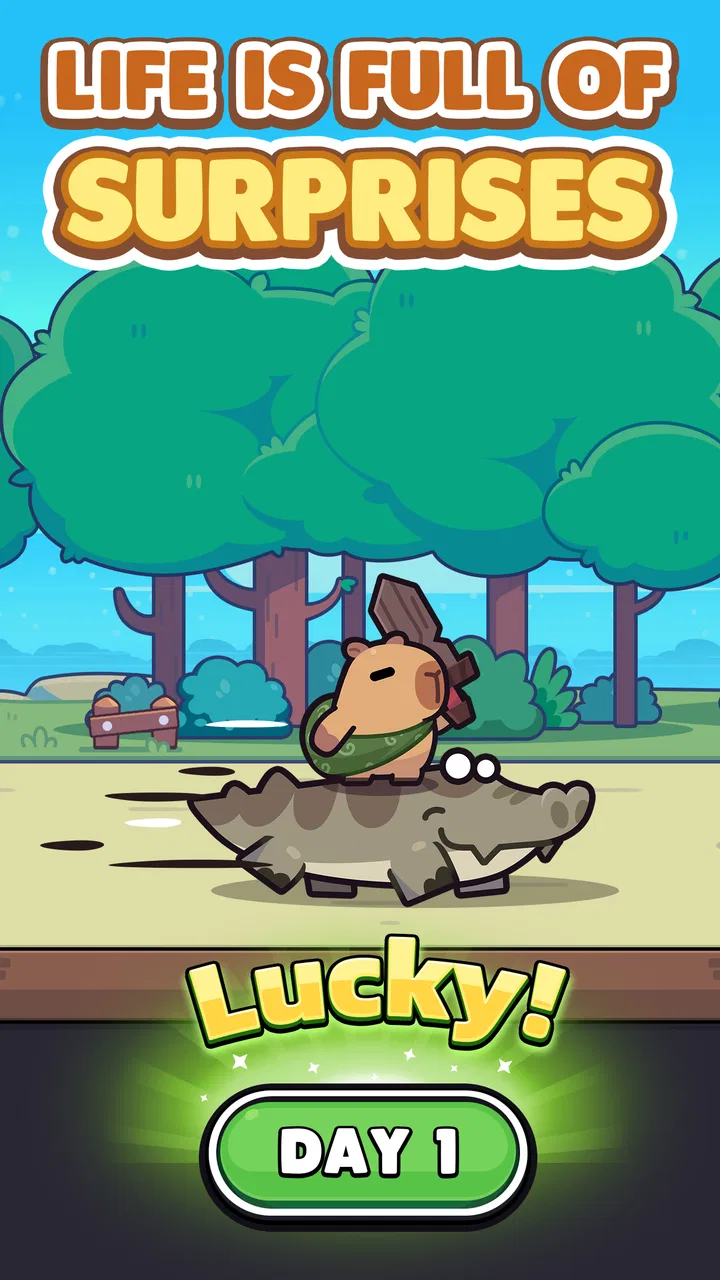
I approached Capybara Go! as a quick mobile role-playing game rather than a long, demanding adventure. Its appeal is easy to understand: it puts a cheerful capybara at the center and aims for short, playful sessions that can fit around ordinary routines. After spending time with it, I found that the real question is not whether the theme is charming—it is—but whether you enjoy letting a game guide you through compact decisions instead of giving you a large world to control directly.
That distinction matters. This is a free game from Habby, rated for Everyone 10+, and it has already attracted over ten million installs. The store page shows a 4.6 average from around 445 thousand ratings, which suggests that its friendly presentation and accessible role-playing format connect with a broad audience. I can see why, although I would not recommend it automatically to every RPG fan. Players looking for deep party management, a huge explorable map, or a story they can shape in detail may find the experience too streamlined.
What makes the first sessions appealing—and where players can get stuck
The opening experience is built around getting into the game quickly. You do not need to learn a complicated control scheme before seeing what the capybara adventure is about. That makes it a comfortable choice when you want something lighter than a traditional console-style role-playing game. I especially liked the way the relaxed character design lowers the pressure: even when progress becomes more demanding, the overall mood remains playful rather than grim.
You May Also Like

 Blood Strike: 2.5 Anniversary
Blood Strike’s Loadouts Turn Every Drop Into a Tactical Gamble
A close look at Blood Strike’s custom loadouts: how fast access to signature weapons reshapes its battle royale rhythm, rewards preparation, and narrows the gap between fights.

 Pandora - Music & Podcasts
Pandora’s Music Is Easy to Start, but Harder to Recover
Pandora’s strength is its low-effort path from a seed to a station. Its weak spot is how much confidence it asks you to place in connection, setup, and quiet recovery.

 8 Ball Pool
 Is Built on Rivalries, Rematches, and Routine
A close look at the rivalries, rematches, shared routines, and unanswered safety questions that turn a quick pool match into a persistent mobile community.

 Samsung Music
’s Quiet Strength Is Playing What You Already Own
Its reach comes less from spectacle than from dependable access to a personal library. That simplicity is both the app’s strongest retention engine and its ceiling.

 AccuWeather: Weather Radar
AccuWeather Review: A Quick, Clear Forecast for Everyday Decisions
For everyday plans, the best forecast is the one you can understand quickly. AccuWeather makes rain timing, radar, and local conditions easy to act on, with a few trade-offs.

 Hill Climb Racing
Why Hill Climb Racing Still Turns Crashes Into One More Run
A tiny car, a bumpy hill and one more upgrade: Hill Climb Racing keeps resurfacing because its simple chaos makes every near-miss feel personal.
More From Our News Desk



Still, a simple presentation does not mean every part of the experience is self-explanatory. New players can easily mistake early progress for the whole structure of the game. The first encounters feel welcoming, but later choices require more attention to how you spend resources, which improvements you prioritize, and when you should stop pushing forward. If you treat every reward as equally valuable, you may make progress more slowly than necessary.
My first practical suggestion is to avoid rushing through every available action just because it is visible. Take a moment to read what each improvement changes and consider whether it helps your current weakness. A stronger offensive option is not always the best answer if your run is ending because you cannot withstand incoming damage. Likewise, a defensive improvement may feel less exciting but can keep a promising attempt alive long enough to earn more useful rewards.
This is one of the less obvious lessons in the game: survival can be a better form of progression than immediate power. When a run ends early, the time spent may feel wasted, especially during the first few sessions. Once I began judging upgrades by how consistently they helped me continue, rather than by how impressive they looked individually, the experience became more manageable.
Another common point of friction is the difference between a temporary advantage and a lasting improvement. Role-playing games often mix choices that help only during the current attempt with rewards that strengthen future attempts. If you spend everything as though it were permanent, you can be disappointed when the next run begins without the same benefits. I recommend checking the wording of rewards carefully and learning which decisions affect the current journey versus your broader progress.
The game also asks you to accept a degree of uncertainty. You are not simply following a fixed path where every result can be predicted in advance. That unpredictability gives repeated attempts their purpose, but it can frustrate players who prefer complete control. I found it more enjoyable when I treated each run as a small experiment: test a direction, notice why it failed, and adjust the next attempt instead of trying to force one perfect sequence.
Simple checks before blaming the game
If the game does not start correctly, freezes, or seems to lose progress, begin with ordinary checks rather than immediately assuming the problem is inside the game. Confirm that the device is running at least Android 7.0 if you are using Android. Also make sure the installation has finished properly and that the device has enough free space for normal operation. These are basic steps, but they prevent a surprising amount of confusion.
When a screen appears stuck, give it a short moment before repeatedly tapping. Rapidly pressing buttons can make it difficult to tell whether the game is responding slowly or whether several commands have been registered at once. If the problem continues, close the game normally and reopen it. I would also restart the device if other apps are behaving slowly, because that points toward a wider device issue rather than a Capybara Go! problem.
Connection quality is another sensible thing to check whenever loading, account-related progress, or reward screens behave strangely. Try a stable Wi-Fi connection, then compare it with mobile data if available. Avoid switching networks during an important transition. A weak or changing connection can make a normal delay look like missing content, so waiting for the screen to settle is safer than repeatedly restarting the app.
Keep the game updated as well. The current version is 1.8.2, and using an older build can create avoidable compatibility problems. If an update has just been installed, close and reopen the game afterward rather than assuming the change applies perfectly while the previous session is still running. I prefer this small reset because it gives the app a clean start and makes later troubleshooting easier.
There is also a practical battery and performance consideration. If your phone is already hot, running many apps, or operating in a power-saving mode, a game may respond less smoothly. Close unnecessary background apps and let the device cool down before judging performance. I would not interpret one slow session on an overloaded phone as proof that the game is inherently unstable.
How I recover a run that feels inefficient
When a run begins to go badly, my instinct used to be to continue simply because I had already invested time in it. That is not always useful here. If your health, options, or available improvements clearly leave you unable to handle the next challenge, continuing can turn a learning opportunity into a frustrating wait. Sometimes the better workflow is to accept the failed attempt, identify the decision that caused the problem, and start again with a narrower goal.
For example, do not change every choice at once. If you alter your upgrade priorities, your risk tolerance, and your route decisions together, you will not know what actually improved the result. Instead, keep most of your approach consistent and change one important variable. This makes the game feel less random because you begin to recognize which decisions are genuinely helping.
I also recommend setting a small objective before beginning a session. You might focus on surviving longer, understanding a particular type of reward, or testing whether a defensive approach works better for your current situation. This is more productive than measuring every session only by how far you travel. A short attempt can still teach you something useful if you know what you were testing.
Do not spend premium currency impulsively when you are annoyed by a failed run. The game is free to download, but it includes in-app purchases ranging from $0.99 to $299.99 per item. That wide range makes self-control important, especially for younger players or anyone who tends to pay to remove frustration. I suggest playing normally first, learning the progression loop, and deciding on a personal spending limit before buying anything.
This is also where the age rating deserves practical attention. Everyone 10+ does not mean every child should use purchases without supervision. If the game is installed on a family device, review purchase settings and agree on expectations beforehand. The cheerful art can make spending feel harmless, but the presence of optional purchases still calls for the same caution I would use with any free-to-play role-playing game.
Another recovery technique is to pause when the game stops feeling fun. Because the sessions are easy to resume, there is little benefit in forcing yourself through a poor mood. I found that returning later helped me make clearer choices than repeatedly retrying while frustrated. This is especially useful for players who enjoy the game as a casual break rather than as a main hobby.
When the problem is probably outside the app
Not every failed loading attempt, delayed reward, or sudden slowdown is caused by the game itself. If several apps are slow, the phone is low on storage, or the operating system has been struggling, Capybara Go! may simply be exposing an existing device problem. Test another demanding app and check whether the same symptoms appear. A wider pattern is more useful than judging this game from one isolated incident.
Network changes can create similar misunderstandings. If the game works on one connection but not another, focus on the network before reinstalling anything. Reinstalling is a disruptive step and should not be the first response to a temporary connection issue. I would restart the connection, reopen the app, and only then consider more serious measures if the problem remains consistent.
Be careful with clearing app data or uninstalling when you are unsure how progress is handled. Those actions can remove local information, and they should not be treated as harmless troubleshooting. First try a normal close and restart. If you need further help, record what happened, when it happened, and whether the issue repeats. A clear description is much more useful than saying only that the game “does not work.”
Device compatibility is worth considering too. Android 7.0 is the minimum operating system listed for the game, but meeting a minimum does not guarantee identical performance across every phone. Older hardware may handle the game differently from a newer device, particularly when the phone is warm or busy. If the game runs but feels sluggish only on an older handset, reducing background activity may help, though it may not transform the experience completely.
There is a similar distinction between a design choice and a technical fault. A run ending because of a poor decision, an unpredictable event, or limited resources is part of the role-playing loop. A screen failing to respond, progress failing to load, or the app closing unexpectedly is a technical concern. Keeping those categories separate helps you troubleshoot accurately and prevents you from abandoning the game because you disliked one difficult outcome.
Who will enjoy this more than a traditional RPG?
I think Capybara Go! works best for people who want a low-pressure role-playing game that can be played in short bursts. It suits a commute, a waiting room, or a few minutes before bed, provided you are comfortable with a game that emphasizes repeated attempts and gradual improvement. The capybara theme gives it an approachable personality, while the RPG structure provides enough decision-making to make each session more engaging than a completely passive time filler.
Here is a realistic everyday scenario: you have ten minutes before leaving for an appointment. A large open-world RPG would be a poor fit because you may need to stop in the middle of a quest or remember a complicated objective. This game is easier to approach in that moment. You can begin a focused attempt, make a few decisions, and put the phone away without needing to manage a huge map or a long conversation tree.
It is also a reasonable introduction for someone who finds conventional RPG systems intimidating. You do not need to understand a long list of character classes before starting. The friendly visual identity helps, and the game gradually encourages you to think about choices, timing, and resource use. I would still guide younger players around the purchase system, but the basic tone is much less intimidating than a darker or more complex role-playing title.
On the other hand, I would steer you toward a different kind of game if you want direct action control, extensive character customization, or a carefully authored campaign. Capybara Go! is not the best substitute for a traditional adventure RPG where you explore freely and make story-defining decisions. It is closer to a compact, repeatable mobile journey, and that format depends on whether you enjoy learning from attempts rather than simply completing a fixed sequence.
Compared with idle role-playing alternatives, it asks for more attention. You cannot treat every moment as background progress because your choices influence how an attempt develops. Compared with action RPGs, it is less demanding physically and usually easier to pick up. Compared with strategy games, its decisions are more approachable but may not satisfy players who want a large battlefield or highly detailed planning. Its strength is the middle ground: enough interaction to feel involved without requiring the commitment of a full-length RPG.
That middle ground is also its main limitation. Players who want a sense of mastery based on precise controls may find the experience too indirect. Players who dislike repeating attempts may see the loop as circular rather than rewarding. I would skip it if your ideal mobile game is a single, uninterrupted story or a competitive title where every outcome depends on mechanical skill. The capybara charm cannot compensate for a format you fundamentally do not enjoy.
My practical verdict after living with the game
Capybara Go! is an easy game to recommend selectively. Habby has made a role-playing experience with a warm identity, approachable sessions, and enough choice to keep the capybara journey from feeling completely automatic. The store summary says “Don't worry, Be capy!”, and while I would not use that as a complete description of the game, it captures the relaxed attitude that makes the title inviting.
My recommendation comes with conditions. Start slowly, read the consequences of improvements, and treat early attempts as practice rather than tests you must win. Check your connection and device before assuming a loading problem is a game defect. If progress feels poor, change one part of your approach at a time. Most importantly, decide how you will handle purchases before the game presents an appealing shortcut.
The current release is 1.8.2, and the game is free to install, so trying it does not require an upfront payment. The trade-off is the optional purchase structure and the possibility that the repeated-run format will not suit everyone. I would give it a chance if you like friendly mobile RPGs, short sessions, and gradual experimentation. I would choose a more traditional adventure or a deeper strategy game if you need extensive control, a large world, or a fixed story.
In the end, Capybara Go! is strongest when treated as a small daily game, not as a replacement for a full-scale role-playing adventure. I enjoyed its approachable personality and the way modest decisions can improve a later attempt. Just keep your expectations realistic, troubleshoot the basics before taking drastic action, and remember that a charming presentation does not remove the need to manage time, progress, and spending thoughtfully.
FAQs for Capybara Go!
01What is the main objective of Capybara Go!?
Capybara Go! is an adventure game where players guide a capybara through various levels filled with obstacles and challenges. The main objective is to collect as many coins and power-ups as possible while avoiding traps and enemies. The game combines strategy and quick reflexes to reach higher levels and achieve the highest scores.
02Is Capybara Go! free to play, or does it include in-app purchases?
Capybara Go! is free to download and play. However, it includes optional in-app purchases that enhance the gaming experience. Players can buy coins or special power-ups to help progress through more challenging levels. While purchasing is optional, it can provide a strategic advantage in the game.
03What are the system requirements for Capybara Go! on Android and iOS?
For Android, Capybara Go! requires version 5.0 or higher and at least 100 MB of free space. For iOS, it requires iOS 11.0 or later and is compatible with iPhone, iPad, and iPod touch. The game performs best on devices with at least 2GB of RAM for smooth gameplay.
04Does Capybara Go! offer multiplayer or social features?
Capybara Go! includes social features that allow players to connect with friends. You can compare scores on leaderboards and share achievements on social media. While the game is primarily single-player, these features add a competitive edge by allowing players to challenge friends and aim for top rankings.
05How can I report bugs or issues in Capybara Go!?
If you encounter bugs or technical issues in Capybara Go!, you can report them directly through the app's support section. Navigate to the settings menu and select 'Support' or 'Contact Us' to submit a detailed description of the problem. The development team is responsive and committed to resolving issues promptly.
Pros
- Engaging and intuitive gameplay.
- Bright and colorful graphics.
- Regular updates with new levels.
- Minimal ads for a free game.
- Offline play available.
Cons
- Limited character customization.
- In-app purchases can be pricey.
- Occasional lag on older devices.
- Some levels feel repetitive.
- No multiplayer mode available.

Capybara Go!
Gallery